The Ultimate Fujifilm X100VI Video Settings for Creators
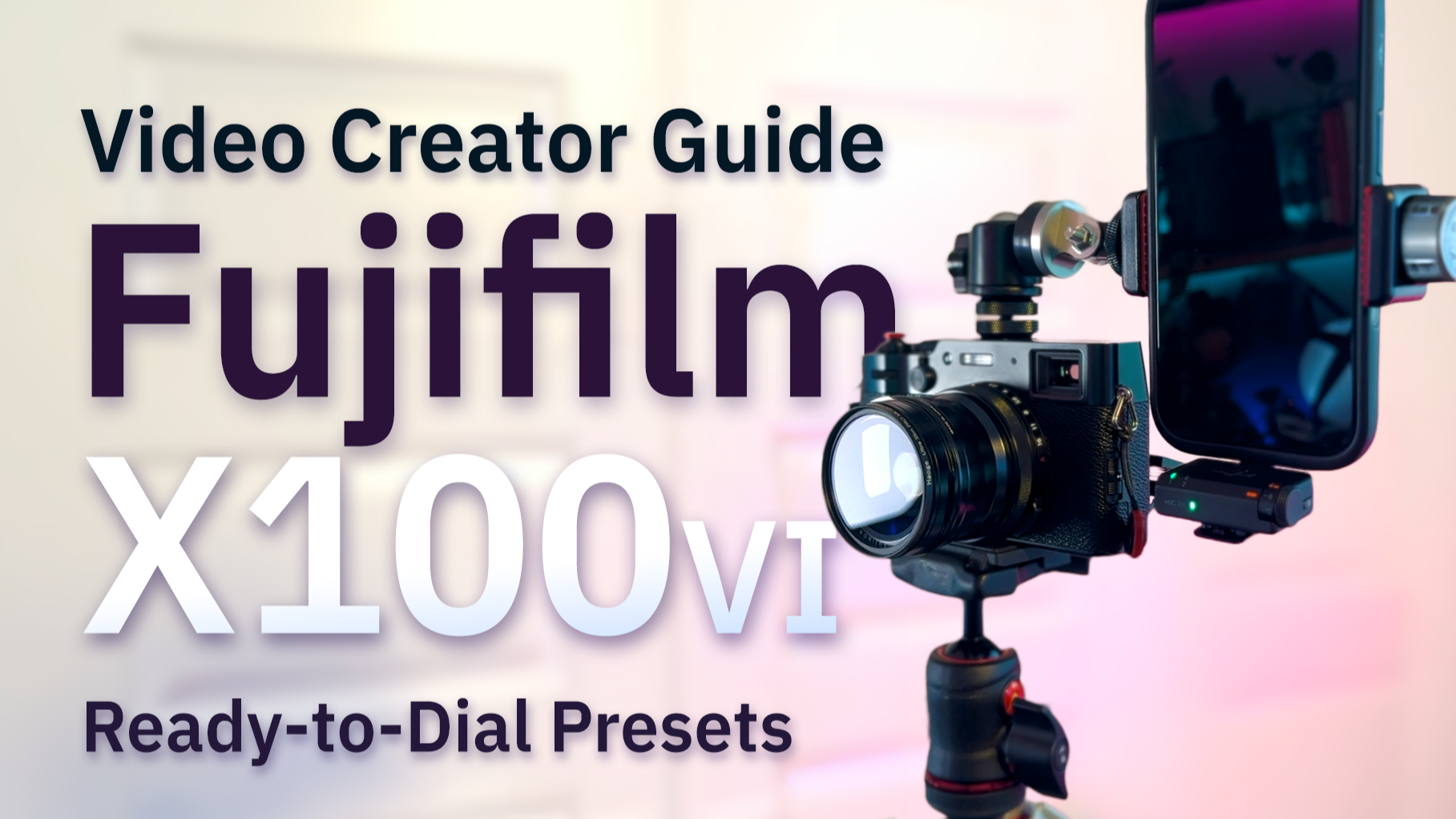
The only video settings + recipes you need for filming TikTok, YouTube, travel vlogs, and everything in between.
When I first picked up the Fujifilm X100VI, I never expected to use it beyond travel and street photography. I thought for sure that the video was a nice perk but not a serious contender against more dedicated video cameras like the Sony Alpha A7C II or even my iPhone.
Turns out, I was very wrong.
The X100VI is an excellent all-around creator’s camera
The fixed lens, compact body, and constraints make creating downright fun - especially with the ability to set “recipes” (preset styles) that you can readily switch between. Same goes for video mode! Add the optional wide angle conversion lens and the X100VI truly is a fantastic choice for a creator camera.
So if you’re creating content for:
TikTok
Instagram Reels
YouTube Shorts
YouTube longform
Vlogs
Short Films
And so much more
these are the absolute best video settings and presets you’ll want to save to your X100VI to turn it into a true creator camera.
The Top Settings and Presets for Video / Content Creation
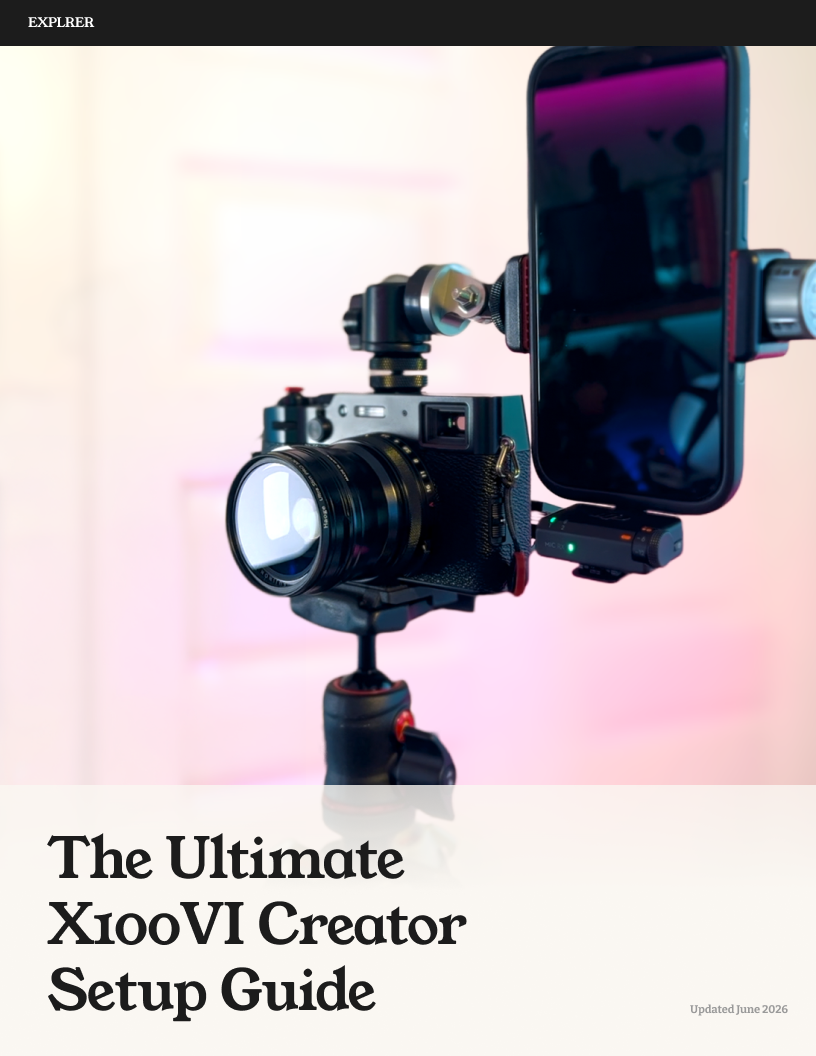
Turn your X100VI into a serious video camera - no matter what you’re filming
The Fujifilm X100VI is incredible but comes out of the box ready for stills, so the good video stays buried behind a menu maze that can feel more like science than art to get right
This guide helps you skip all of that and get to creating with seven tested video recipes, each built for a specific situation. Save each to your Custom Settings on the X100VI then switch to the one that fits what you're shooting, hit record, and get ready to post/share without the need to spend hours and hours editing in post.
With these presets, you can finally create the kind of footage that gets "wait, what camera is that?" in the comments.
Five core presets:
Daily Creator — punchy, ready-to-post color for social and travel. Straight out of camera
Cinema — F-Log2 exposed exactly right so it actually grades clean. Drop a LUT, get a short-film look
Slow Motion — buttery, effortlessly cinematic B-roll
Self / Talking Head — flattering settings for selfies, interviews, and tutorials
Golden Hour — warm, magic-light recipe that turns any scene cinematic
Plus 2 bonus presets, only in the guide:
Creator+ — scroll-stopping footage built for social
Self+ — the vertical / vlog recipe that gets everyone asking about your setup
Exact resolution, codec, shutter, ISO, white balance, film sim, and beyond — all detailed, along with the tips, tricks, and recommendations you need to transform your X100VI into the ultimate creator camera.
(On an X100V? Still a strong starting point - you'll just tweak a couple of settings for your sensor.)
Questions dialing in the presets? Just send me an email at hello@explrer.com and I'll help you get set up!
I’ve tested each preset extensively and have narrowed it down to the best presets for the widest range of video work and content creation:
C1 - Daily Creator
C2 - Cinema (F-Log2)
C3 - Slow Motion
C4 - Self/Talking Head
C5 - Golden Hour
PLUS two bonus ones exclusively in the Full Guide (you can find that here!):
C6 - Creator+
C7 - Self+
These presets will take your X100VI (and content) to an amazing new dimension.
Note: They should also work well for the X100V, however I haven’t had the chance to test them - so give them a try but plan on adjusting and fine-tuning given the differences in sensor and video capabilities between the two models.
You’ll use the Edit/Save Custom Setting function found under the Movie Setting menu to store each of these as their own Custom Setting.
Best X100VI Video Settings, before anything else
Start by turning on Movie Optimized Control
Go to: Movie Setting → Movie Optimized Control → ON
Seriously.
This keeps the camera from changing settings unexpectedly and lets you better separate your photo settings from your video settings when you are switching between modes.
One more thing, for audio
Go to Audio Setting → Internal Mic Level Adjustment and set it to -6dB.
The internal mic is just okay. I’d suggest picking up a proper external mic if you don’t have one yet.
Plenty of great options out there - the DJI Mic Mini is my personal favorite.
If you’re using an external mic, you’ll also want to pick up a 3.5mm to 2.5mm Stereo adapter as the Fujifilm X100VI only has a 2.5mm input which can be limiting.
Here’s the one that (after too much research) I’d recommend given the direct compatibility with the X100 line: JJC 3.5mm Female to 2.5mm Male Microphone Adapter.
TL;DR best X100VI video settings
Quick answer: For most creators, shoot the X100VI in 4K HQ 30p, H.265, 4:2:2 10-bit, 200 Mbps, shutter 1/60, ISO 125–3200, DR100, film sim Reala Ace with WB white-priority (R+2/B−2). For gradeable footage use F-Log2 at ISO 1250+. For slow motion, 4K 60p at 1/120. Full recipes below to really dial these in.
Now, let’s build your ideal creator camera…
The 5 Creator Recipes (presets)
C1 — DAILY CREATOR
Your go-to default.
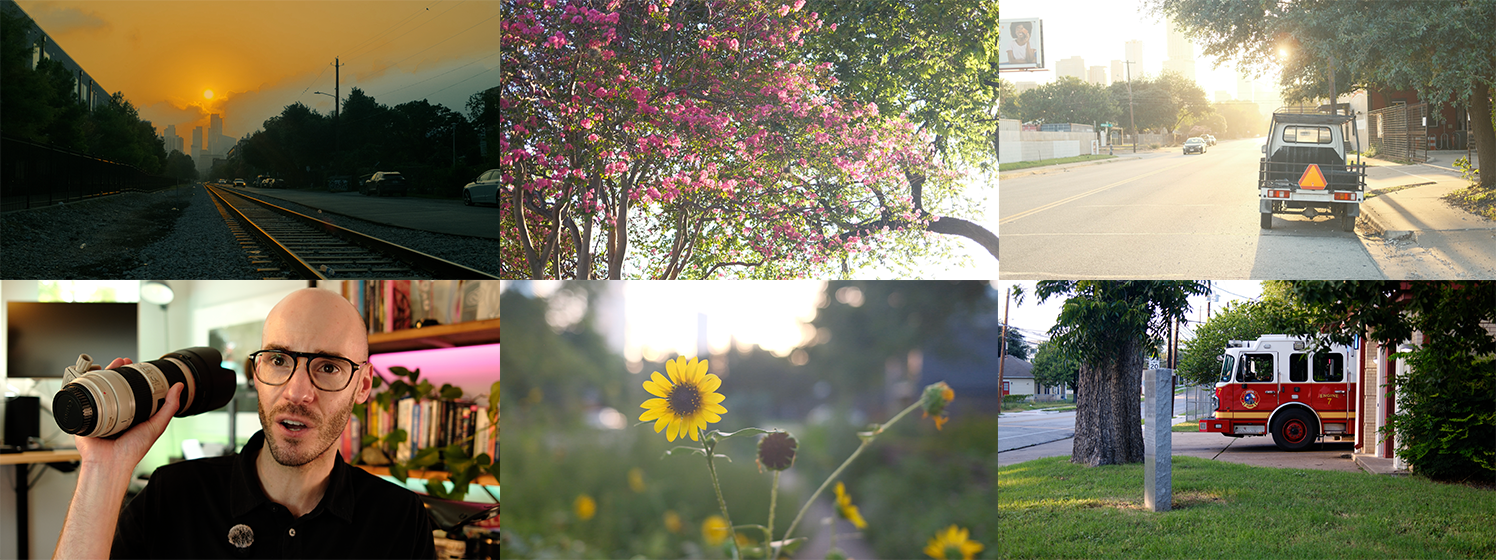
Example of Daily Creator directly from X100VI with no post editing. (Artifacts due to compression for web)
If I’m walking around town, grabbing coffee, shooting something for Instagram, capturing moments with friends, filming travel, or recording something that I know I’m realistically not going to color grade later… this is the preset where I love to live.
Low friction. Beautiful output. Done.
Use for:
- TikTok
- Instagram Reels
- YouTube Shorts
- Travel Updates
- Everyday moments
- Walking videos
- Fast editing workflows
Set your Custom Setting C1 as follows:
| Resolution | 4K HQ |
| Frame Rate | 30p |
| Codec | H.265 |
| Color | 4:2:2 10-bit |
| Bitrate | 200 Mbps |
| File Type | MOV |
| Shutter | 1/60 |
| Aperture | f/2–4 |
| ISO | 125–3200 |
| Dynamic Range | DR100 |
| White Balance | AWB White Priority |
| WB Shift | R+2 B−2 |
| Film Simulation | Reala Ace |
| Highlight | 0 |
| Shadow | 0 |
| Color Adjustment | +2 |
| Sharpness | −1 |
| High ISO NR | −4 |
| Face / Eye Detect | ON |
| IBIS | ON |
| IS Boost | OFF |
| ND Filter | OFF (enable manually outdoors) |
| Exposure Compensation | 0 |
C2 — CINEMA
For when you want to make something more.
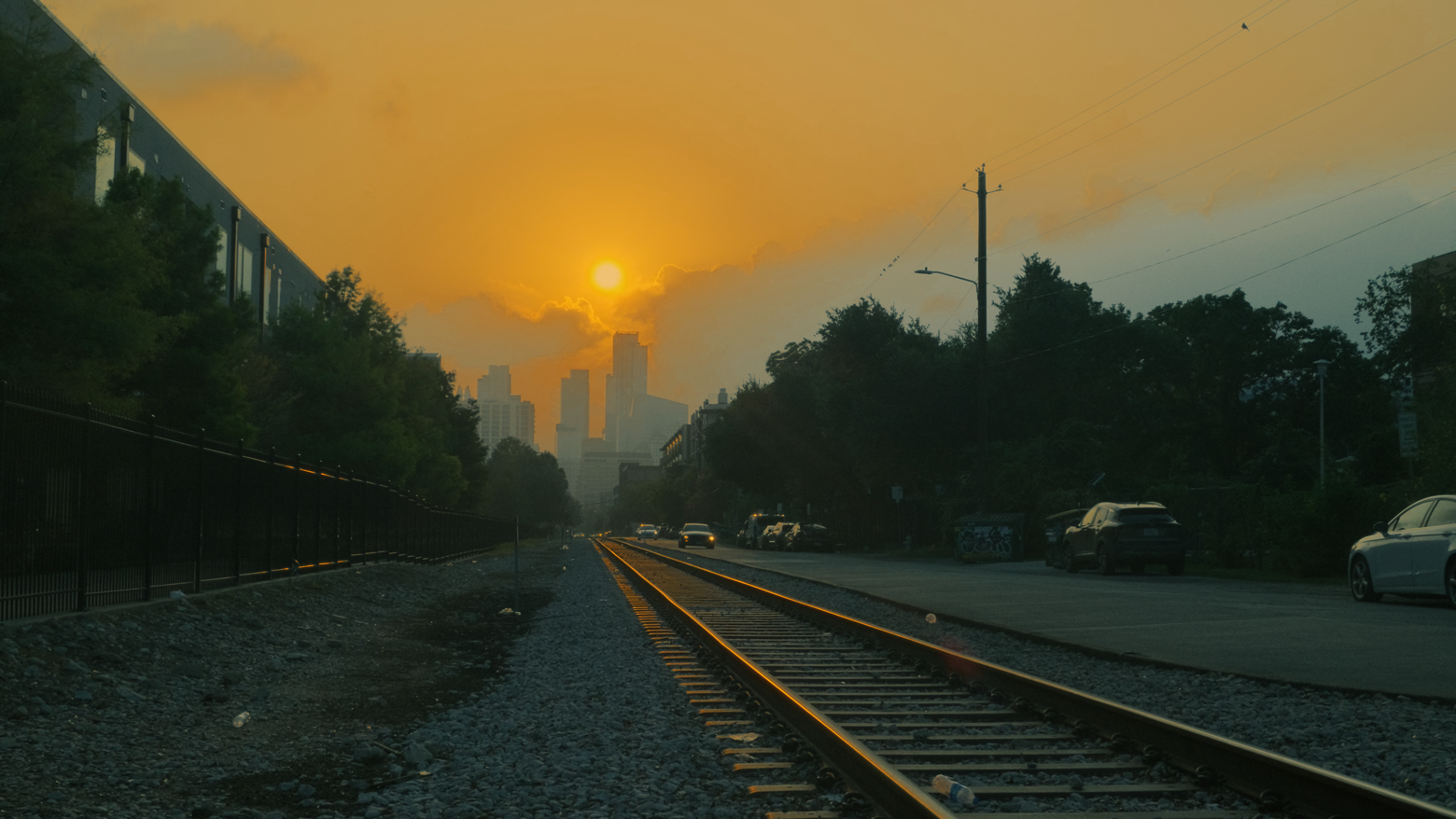
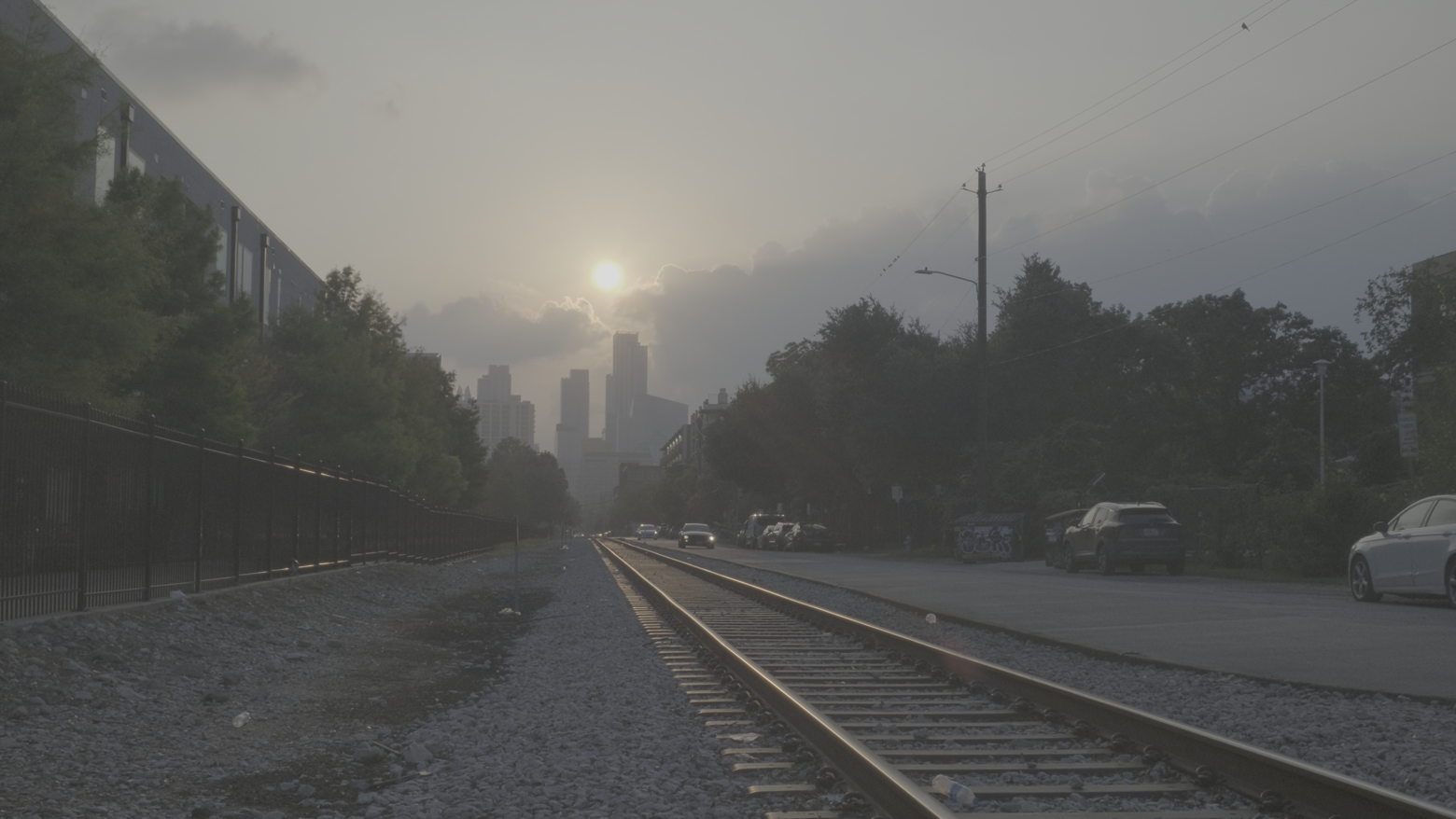
When you want to create a truly cinematic result, shoot in F-Log2 and apply the right LUT/Color Grading in post to achieve something truly "more" in quality and aesthetic.
Use for:
- Travel films
- Longform videos
- Cinematic sequences
Pro Tip:
To enhance the in-camera experience while filming in F-Log, turn on the following setting:
Set Up → Screen Set-Up → F-Log View Assist → ONThis will give a bit of a visual boost in the X100VI's display - versus the "flatter" resulting file you'll then color grade.
Set your Custom Setting C2 as follows:
| Resolution | 6.2K |
| Frame Rate | 30p |
| Codec | H.265 |
| Color | 4:2:2 10-bit |
| Bitrate | 200 Mbps |
| File Type | MOV |
| Shutter | 1/60 |
| Aperture | f/2–4 |
| ISO | 1250+ |
| Dynamic Range | DR100 |
| White Balance | Kelvin 5600K |
| WB Shift | None |
| Film Simulation | F-Log2 |
| Highlight | N/A |
| Shadow | N/A |
| Color Adjustment | N/A |
| Sharpness | −4 |
| High ISO NR | −4 |
| Grain | OFF |
| Face / Eye Detect | ON |
| IBIS | ON |
| IS Boost | OFF |
| ND Filter | OFF |
| Exposure Compensation | 0 |
C3 — SLOW MOTION
The easiest upgrade you can make.
Subtle slow motion effect achieved by setting speed to 50% exporting at 29.97fps. No color grading or stabilization applied.
This one almost feels like cheating. In fact, this preset alone might improve your footage more than buying another camera.
Use for:
- B-roll
- Transitions
- Product glamor shots
- Cinematic travel movements
Pro Tip: By filming in 60 frames per second, you can effectively slow the video to 50% speed when editing for a resulting cinematic effect that looks smooth (not choppy) alongside your standard 30fps footage.
Set your Custom Setting C3 as follows:
| Resolution | 4K |
| Frame Rate | 60p |
| Codec | H.265 |
| Color | 4:2:2 10-bit |
| Bitrate | 200 Mbps |
| File Type | MOV |
| Shutter | 1/120 |
| Aperture | f/2–4 |
| ISO | 250–3200 |
| Dynamic Range | DR200 |
| White Balance | AWB White Priority |
| WB Shift | R+1 B−2 |
| Film Simulation | Reala Ace |
| Highlight | −1 |
| Shadow | −1 |
| Color Adjustment | +1 |
| Sharpness | −2 |
| High ISO NR | −4 |
| Face / Eye Detect | ON |
| IBIS | ON |
| IS Boost | OFF |
| ND Filter | OFF (enable manually if bright) |
| Exposure Compensation | 0 |
C4 — SELF/TALKING HEAD
Smooth and consistent.
Example of Self/Talking-Head. Direct from camera with no additional color grading or adjustments.
Best for when you are talking to the cam.
Just set the lighting. Set framing. Record. Done.
Use for:
- YouTube
- Tutorials
- Desk videos
- Commentary
Set your Custom Setting C4 as follows:
| Resolution | 4K HQ |
| Frame Rate | 30p |
| Codec | H.265 |
| Color | 4:2:2 10-bit |
| Bitrate | 200 Mbps |
| File Type | MOV |
| Shutter | 1/60 |
| Aperture | f/2.8 to f/4.0 |
| ISO | 125–1600 |
| Dynamic Range | DR100 |
| White Balance | Kelvin 5300K |
| WB Shift | R+2 B−1 |
| Film Simulation | Astia / Soft |
| Highlight | +1 |
| Shadow | 0 |
| Color Adjustment | +2 |
| Sharpness | −1 |
| High ISO NR | −4 |
| Face / Eye Detect | ON |
| IBIS | OFF (if tripod) |
| IS Boost | OFF |
| ND Filter | OFF |
| Exposure Compensation | +0.3 |
C5 — GOLDEN HOUR
Quite possibly my favorite.
Example of Golden Hour - direct from X100VI with no post-editing / color grading.
This is the preset that continues to convince me the X100VI can hold its own against video-dedicated cameras.
We're talking: Warm highlights. Protected skies. Beautiful rolloff. Chef's kiss.
Use for:
- Sunsets
- Travel
- Portraits
- Road trips
- Making ordinary moments feel downright cinematic
Set your Custom Setting C5 as follows:
| Resolution | 4K HQ |
| Frame Rate | 30p |
| Codec | H.265 |
| Color | 4:2:2 10-bit |
| Bitrate | 200 Mbps |
| File Type | MOV |
| Shutter | 1/60 |
| Aperture | f/2 |
| ISO | 500–1600 |
| Dynamic Range | DR400 |
| White Balance | Daylight |
| WB Shift | R+3 B−5 |
| Film Simulation | Nostalgic Neg |
| Highlight | 0 |
| Shadow | −1 |
| Color Adjustment | +1 |
| Sharpness | −2 |
| High ISO NR | −4 |
| Face / Eye Detect | ON |
| IBIS | ON |
| IS Boost | OFF |
| ND Filter | ON if maintaining 1/60 at f/2 |
| Exposure Compensation | −0.3 to −0.7 |
The Cheat Sheet
Keep this handy! Great way to make sure your settings stay set correctly if you ever make tweaks for a one-off shoot.
| C1 — DAILY CREATOR TikTok • Reels • Shorts • Travel • Everyday | C2 — CINEMA Travel films • B-Roll • Special Moments (worth Grading) | C3 — SLOW MOTION Movement • Glamor Shots • Transitions | C4 — SELF / TALKING HEAD YouTube • Tutorials • Interviews | C5 — GOLDEN HOUR Sunsets • Travel • Cinematic Moments | |
|---|---|---|---|---|---|
| Resolution | 4K HQ | 6.2K | 4K | 4K HQ | 4K HQ |
| Frame Rate | 30p | 30p | 60p | 30p | 30p |
| Codec | H.265 | H.265 | H.265 | H.265 | H.265 |
| Color | 4:2:2 10-bit | 4:2:2 10-bit | 4:2:2 10-bit | 4:2:2 10-bit | 4:2:2 10-bit |
| Bitrate | 200 Mbps | 200 Mbps | 200 Mbps | 200 Mbps | 200 Mbps |
| File Type | MOV | MOV | MOV | MOV | MOV |
| Shutter | 1/60 | 1/60 | 1/120 | 1/60 | 1/60 |
| Aperture | f/2–4 | f/2–4 | f/2–4 | f/2.8-f/4 | f/2 |
| ISO | 125–3200 | 1250+ | 250–3200 | 125–1600 | 500–1600 |
| Dynamic Range | DR100 | DR100 | DR200 | DR100 | DR400 |
| White Balance | AWB White Priority (R+2 B−2) | Kelvin 5600K (no WB shift) | AWB White Priority (R+1 B−2) | Kelvin 5300K (R+2 B−1) | Daylight (R+3 B−5) |
| Film Simulation | Reala Ace | F-Log2 | Reala Ace | Astia / Soft | Nostalgic Neg |
| Highlight | 0 | N/A | −1 | +1 | 0 |
| Shadow | 0 | N/A | −1 | 0 | −1 |
| Color Adjustment | +2 | N/A | +1 | +2 | +1 |
| Sharpness | −1 | −4 | −2 | −1 | −2 |
| High ISO NR | −4 | −4 | −4 | −4 | −4 |
| Face / Eye Detect | ON | ON | ON | ON | ON |
| IBIS | ON | ON | ON | OFF (if tripod) | ON |
| IS Boost | OFF | OFF | OFF | OFF | OFF |
| ND Filter | OFF (enable manually outdoors) | OFF | OFF (enable manually if bright) | OFF | ON if maintaining 1/60 at f/2 |
| Exposure Compensation | 0 | 0 | 0 | +0.3 | −0.3 to −0.7 |
Unlock the Full X100VI Creator Setup Guide with All 7 Presets
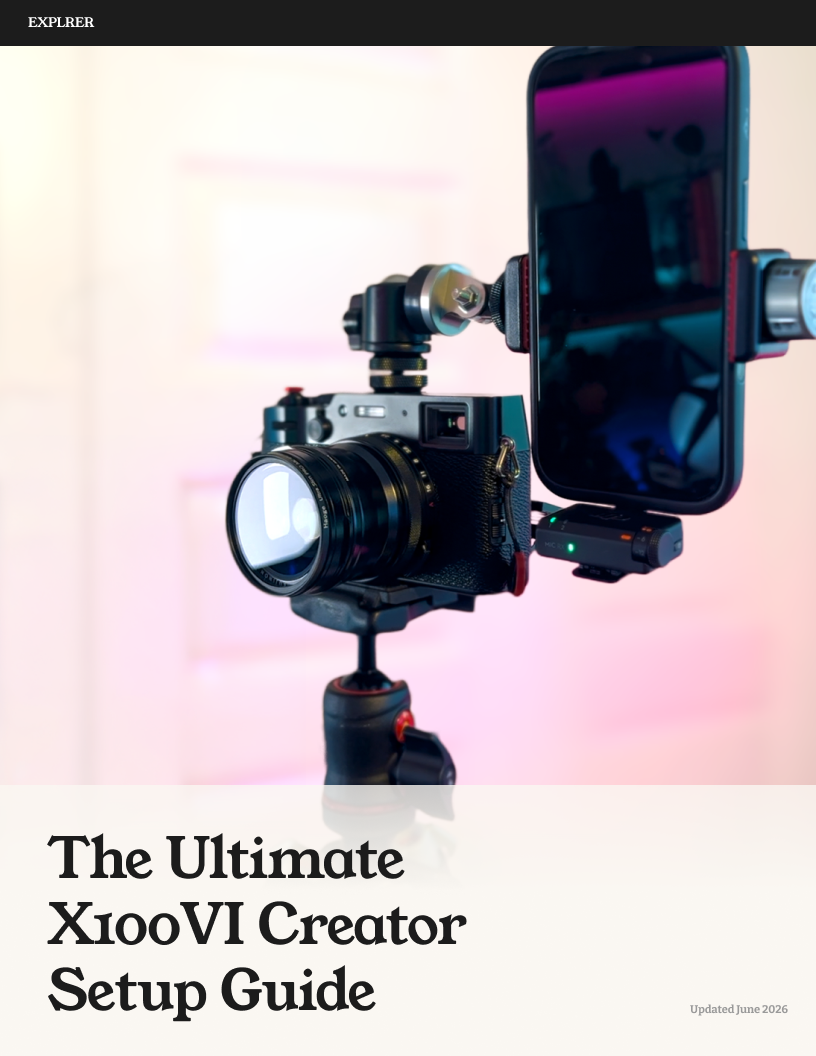
Turn your X100VI into a serious video camera - no matter what you’re filming.
Go even further with the full guide and get the exact settings, tips, tricks and beyond to turn your X100VI into a complete creator’s video tool.
The full guide features all seven ready-to-dial-in presets, each built for a specific shooting scenario, lighting condition, and creative use case - from everyday travel content to cinematic F-Log2 footage to talking-head/self-shot setups that will have your comments full of “wait, what camera are you using?”
Includes All 7 Custom Video Presets
Five core presets:
Daily Creator — punchy, ready-to-post color for social and travel. Straight out of camera
Cinema — F-Log2 exposed exactly right so it actually grades clean. Drop a LUT, get a short-film look
Slow Motion — buttery, effortlessly cinematic B-roll
Self / Talking Head — flattering settings for selfies, interviews, and tutorials
Golden Hour — warm, magic-light recipe that turns any scene cinematic
Plus 2 bonus presets, only in the guide:
Creator+ — scroll-stopping footage built for social
Self+ — the vertical / vlog recipe that gets everyone asking about your setup
Questions dialing in the Full Guide’s presets? Just send me an email at hello@explrer.com and I'll help you get set up!
Turn your X100VI into a serious video camera - no matter what you’re filming
The Fujifilm X100VI is incredible but comes out of the box ready for stills, so the good video stays buried behind a menu maze that can feel more like science than art to get right
This guide helps you skip all of that and get to creating with seven tested video recipes, each built for a specific situation. Save each to your Custom Settings on the X100VI then switch to the one that fits what you're shooting, hit record, and get ready to post/share without the need to spend hours and hours editing in post.
With these presets, you can finally create the kind of footage that gets "wait, what camera is that?" in the comments.
Five core presets:
Daily Creator — punchy, ready-to-post color for social and travel. Straight out of camera
Cinema — F-Log2 exposed exactly right so it actually grades clean. Drop a LUT, get a short-film look
Slow Motion — buttery, effortlessly cinematic B-roll
Self / Talking Head — flattering settings for selfies, interviews, and tutorials
Golden Hour — warm, magic-light recipe that turns any scene cinematic
Plus 2 bonus presets, only in the guide:
Creator+ — scroll-stopping footage built for social
Self+ — the vertical / vlog recipe that gets everyone asking about your setup
Exact resolution, codec, shutter, ISO, white balance, film sim, and beyond — all detailed, along with the tips, tricks, and recommendations you need to transform your X100VI into the ultimate creator camera.
(On an X100V? Still a strong starting point - you'll just tweak a couple of settings for your sensor.)
Questions dialing in the presets? Just send me an email at hello@explrer.com and I'll help you get set up!
Final Thoughts
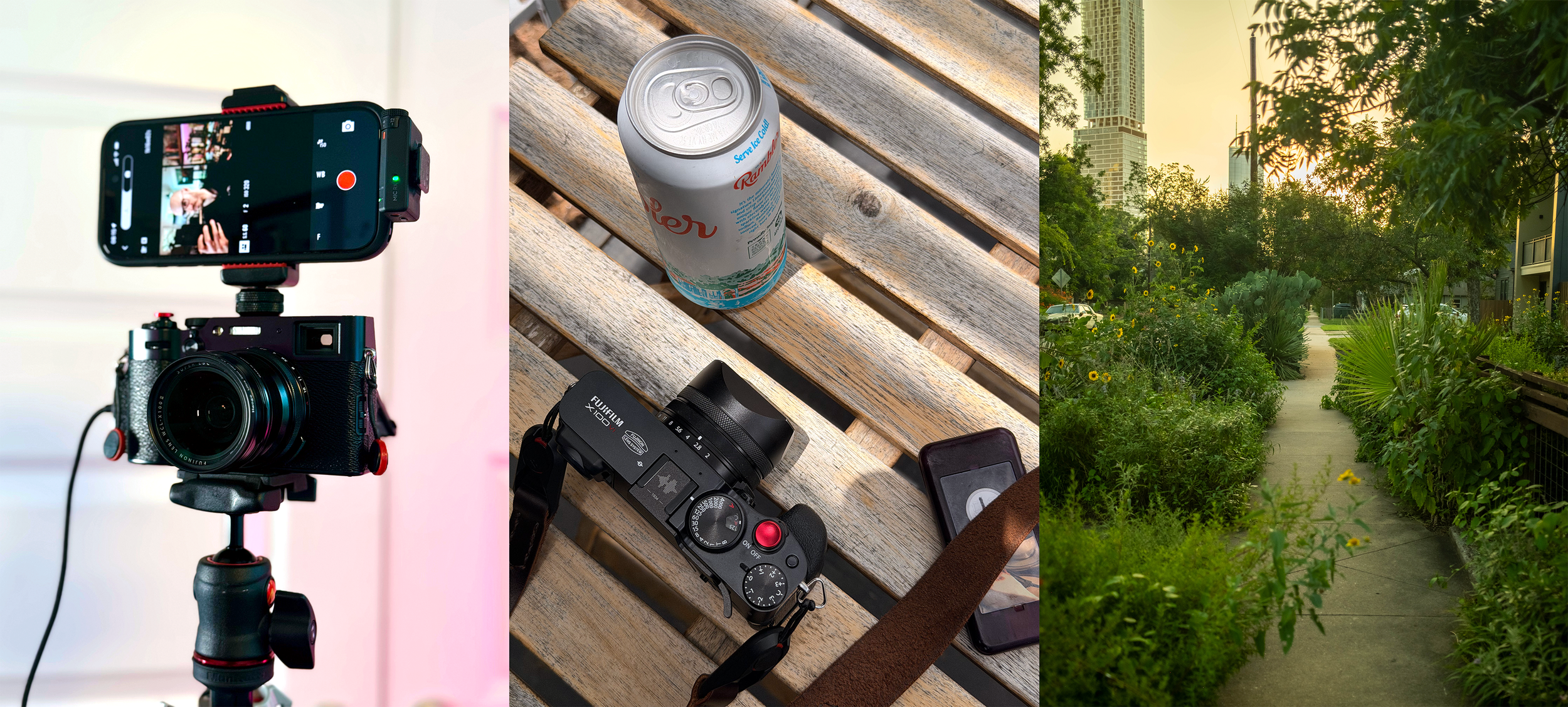
The Fujifilm X100VI truly is worth the praise. While I initially added it to my haul as a dedicated travel camera strictly for photos, I’ve come to appreciate just how incredibly capable it is at video too - for content creation, travel video, and beyond.
With these video presets, I rarely find myself missing something more - especially for content creation.
I hope you enjoy these Presets and welcome any tips, ideas, and suggestions you have on how to improve them.
~ Happy filming and explore well. ~
Love this Guide? Consider Supporting Us!
We always appreciate creating and exploring incredible things.
Your support lets us do just that.
Feel free to share, subscribe, or buy us a coffee - if that’s your kind of thing!
Never expected. Always appreciated.
We’re just glad you’re here. Thanks for Exploring.